May 27, 2025 AI cybersecurity risks and deepfake scams on the rise The 2025 AI Security Report details how criminals are harnessing artificial intelligence to impersonate people, automate scams, and attack security systems on a massive scale.
May 25, 2025 Hackers are bypassing fingerprint scanners to steal your identity Discover the vulnerabilities of fingerprint scanners and the methods hackers use to exploit them. Understand the importance of securing your biometric data.
May 24, 2025 19 billion passwords have leaked online: How to protect yourself Massive password leak reveals cybersecurity flaws. Learn how to protect your accounts with strong passwords, two-factor authentication and data removal services.
May 21, 2025 How to remove your personal info from people-search sites Discover effective strategies for removing your data from people-search sites and explore the role of privacy laws in safeguarding your information.
May 20, 2025 Ascension healthcare data breach exposes 430,000 patient records Tech expert Kurt “CyberGuy" Knutsson reports that healthcare information of more than 430,000 Ascension patients was exposed in a data breach.
May 20, 2025 Android scam lets hackers use your credit card remotely Tech expert Kurt “CyberGuy" Knutsson says SuperCard X Android malware steals card data and lets attackers use your card remotely.
May 19, 2025 Is America's power grid ready for next attack? Experts warn EMPs, cyber threats and AI could cripple US The U.S. faces threats from EMPs, cyberattacks and AI, with experts warning of unpreparedness for infrastructure disruptions and the need for strategic defenses.
May 18, 2025 Check washing crisis fueled by AI and mail theft Discover how check washing fraud has evolved with new digital tools, leading to a surge in incidents. Find out how to safeguard your finances effectively.
May 14, 2025 Fake PayPal email let hackers access computer and bank account The CyberGuy has advice to protect information from cybercriminals who are finding new ways to gain login credentials and full control of computers and bank accounts.
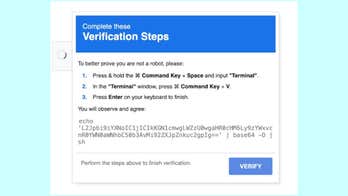
May 13, 2025 Over 2,800 websites used to spread AMOS malware Tech expert Kurt “CyberGuy" Knutsson reports on how a MacReaper campaign infected 2,800-plus websites, spreading malware to Apple Macs.