February 7, 2023 How to tell if your phone has been hacked Your phone may be compromised without you even knowing it. Kurt "CyberGuy" Knutsson shows you how to find out if your phone has been and what to do about it.
February 7, 2023 5 amazing Siri hacks you'll want to use all the time Secret Siri shortcuts you never knew to ask until now.
February 7, 2023 Kurt 'The CyberGuy' Knutsson on how to tell if your phone has been hacked Kurt "The CyberGuy" Knutsson shows you how to tell if you phone has been hacked without you even knowing it.
February 6, 2023 Samsung unveils Galaxy S23: Here's why you should care Samsung's newest smartphone model, the Galaxy S23, features an improved camera, a larger battery and three separate colors for the same price as the Galaxy S22.
February 5, 2023 Change this hidden setting, or anyone can get into your iPhone Face ID is easy to use and automatically adapts to changes in your appearance; however, you should take the following measures to increase your security.
February 3, 2023 How to add your credit cards and loyalty passes to your iPhone Consider securing your wallet items in your iPhone using Apple's Wallet app. It lets you safely store digital keys, transit cards, concert tickets and more.
February 1, 2023 Why you need to delete 3 apps right now if you have an Android Three activity-tracking apps on your Android could be scamming you by promising money through advertisements but never paying you. Kurt "CyberGuy" Knutsson explains.
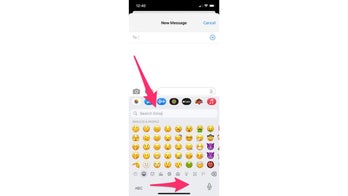
January 31, 2023 How to use different keyboards on your smartphone iPhone and Android users can customize their keyboards in their settings in order to create the unique texting experience that they want to curate. Here's how.
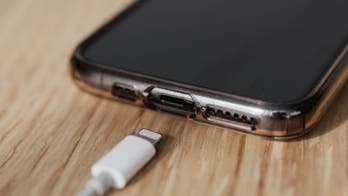
January 31, 2023 Do's and Don'ts of charging your phone the right way Kurt "CyberGuy" Knutsson outlines his top do's and don'ts of using your phone when charging so you can preserve as much battery on your smartphone as possible.
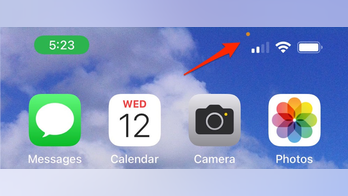
January 31, 2023 Why a green and orange dot on your phone can indicate someone listening and watching The orange and green dots you see at the top of your iPhone screen are enhanced security precautions as a result of the new security update for IOS 14 or better.